Answering-service costs are only comparable when you use the same workload and task requirements. Providers may bill by call, minute, conversation, or unique caller. An in-house employee covers a broader role. Start with your actual call records, then price the work each option can complete.
The figures below are published plan examples checked September 14, 2026. They are not quotes and do not include every plan, tax, optional service, or implementation cost. CentralComs sells customer communication software; this guide uses publicly documented competitor prices and clearly labeled example calculations.
Put the billing unit beside the price
| Provider and example plan | Published monthly price | Included unit | What the unit means for comparison |
|---|---|---|---|
| Jobber Receptionist add-on | $29 on eligible plans | 30 conversations | Requires the applicable Jobber setup; additional conversations are $0.79 |
| Smith.ai AI Receptionist Pro example | $150 | 75 calls | The listed overage for this allowance is $2.50 per call |
| Goodcall Starter | $79 per agent | 100 unique customers | Additional unique customers are $0.50; repeat calls from one number do not count as new customers that month |
| Ruby live answering example | $250 | 50 receptionist minutes | Longer conversations consume more of the allowance |
See the original Jobber, Smith.ai, Goodcall, and Ruby plan pages before buying. The table deliberately identifies the billing unit. Comparing the four dollar amounts alone would hide the most important difference.
A native add-on also has a base-software dependency. If you already pay for the required system, the add-on may be the relevant incremental cost. If you would need to move your operation to that system, include the underlying subscription, migration, training, and disruption. Do not change field-service software based only on an answering add-on’s headline price.
Model one workload four ways
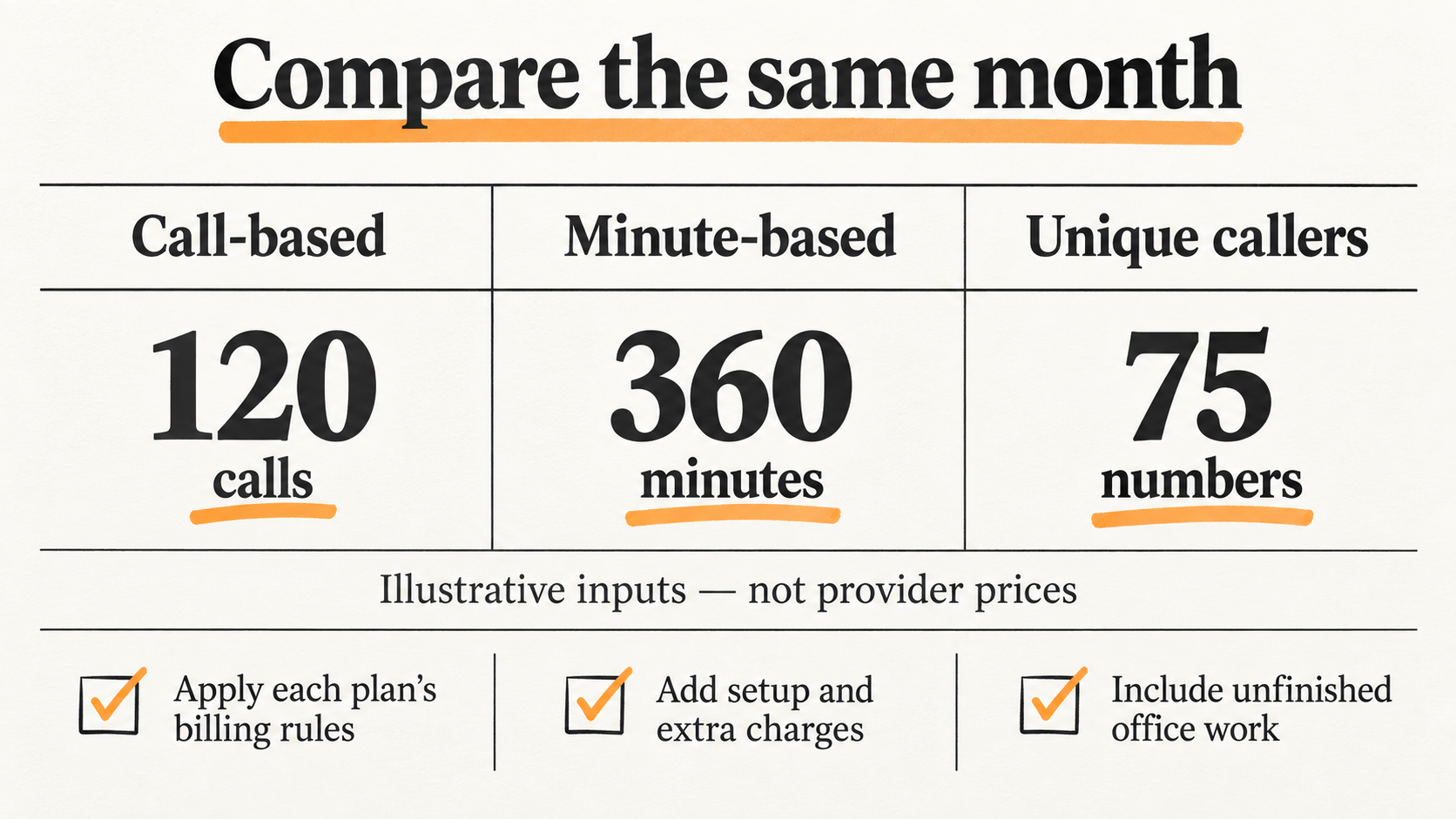
Use this illustrative month: 120 billable calls, 360 answering minutes, and 75 unique caller numbers. For the Jobber calculation only, assume those calls result in 120 billable conversations. Real billing definitions and exclusions must be checked against the provider’s records.
Under the cited Jobber add-on allowance, that example is $29 plus 90 additional conversations at $0.79, or $100.10, before the underlying software cost. Under the cited Smith.ai 75-call plan, it is $150 plus 45 calls at $2.50, or $262.50. This models those specific allowances; another plan or agreement could produce a different quote. The Smith.ai calculation also excludes any chosen live-agent verification or scheduling add-on. Its product page describes optional live-agent involvement as an additional per-call service; confirm the applicable charges in your quote.
Goodcall Starter’s 100-unique-customer allowance would cover the example’s 75 unique numbers at the cited $79 agent price, assuming the selected configuration meets the job. Call volume alone would not tell you that. A business with many repeat callers can produce a different bill from one with the same number of calls and mostly first-time callers.
Ruby publishes a 500-minute plan at $1,725, which has enough included minutes for this 360-minute example. That is an allowance comparison, not a claim that it is Ruby’s cheapest applicable quote. Ask for the price of your expected workload, including any overage option on another tier.
These calculations compare billing mechanics. They do not establish equivalent service, booking access, human coverage, or results. Complete the capability comparison before deciding which price is attractive.
Add the work that stays with the office
A service that answers and takes a message may leave qualification, scheduling, follow-up, and data entry with your team. Another may complete some of those steps. Price both the service and the remaining work.
For an internal estimate, multiply the remaining handling time by your own fully loaded staff-hour cost. For example, 40 follow-ups taking six minutes each use four hours. That is a workload calculation, not evidence that every provider will generate 40 follow-ups or that those hours can be removed from payroll.
Track rework as well: correcting a wrong service type, chasing an unclear note, or calling back after an incomplete transfer. Use a trial sample to estimate it. A low bill with heavy rework can cost more than a higher bill with accurate records, but the difference needs to be observed rather than assumed.
Compare an employee with the whole role
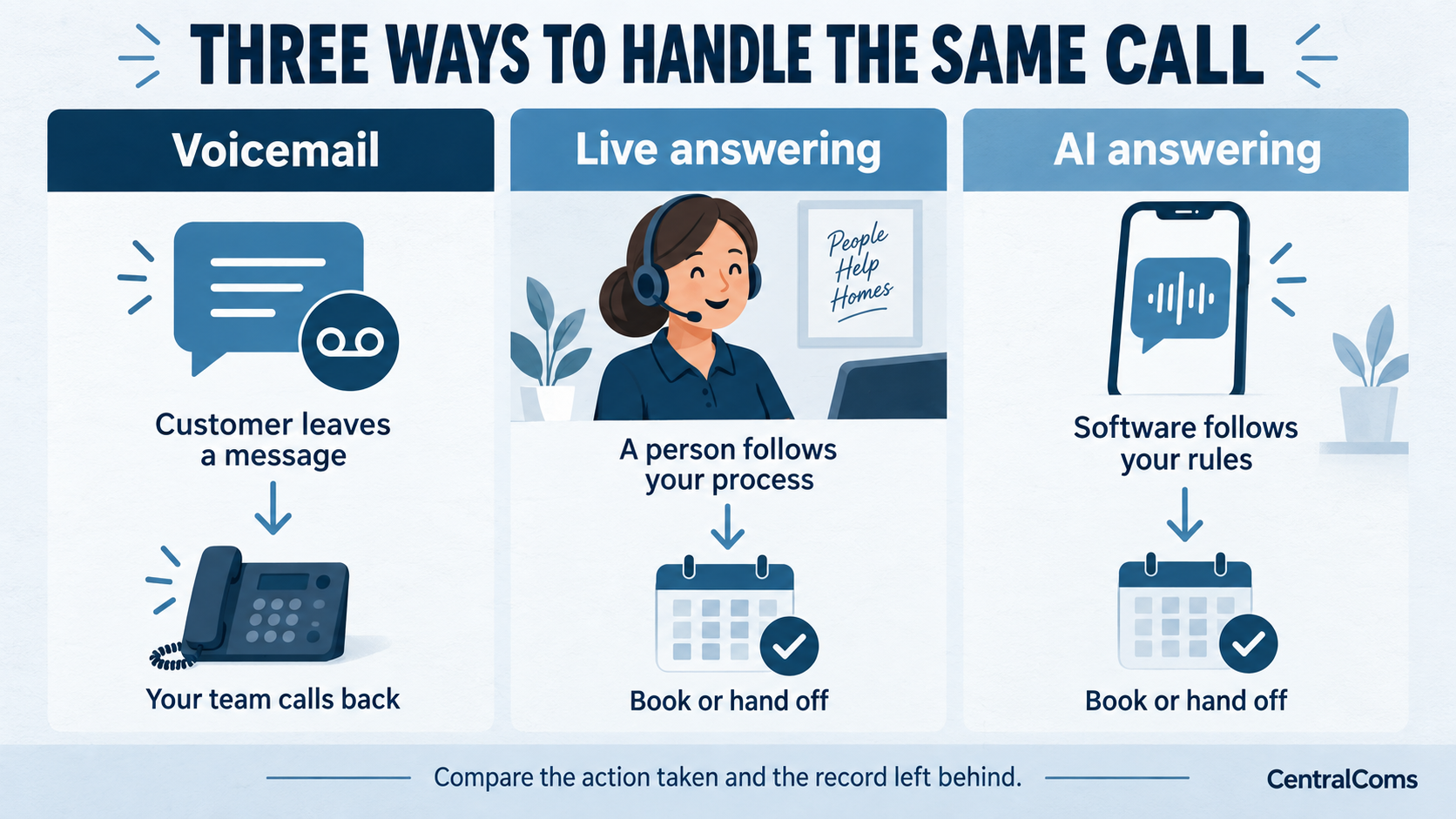
The Bureau of Labor Statistics description of receptionist work includes duties beyond answering phones. In a contracting office, the role may also involve customer records, visitors, payments, dispatch coordination, or other responsibilities specific to the business. Write down the actual role before comparing it with a call service.
For an employee, use your local hiring budget, paid hours, payroll costs, benefits where applicable, training, and coverage needs. For an outside service, use its task scope, hours, usage, setup, and the staff time that remains. A 24-hour answering claim does not mean you have 24-hour dispatch or available technicians.
The practical choice is often how to cover a particular gap: lunch breaks, overflow, evenings, or repeat follow-ups. Decide that first. It gives you a smaller, more meaningful cost comparison than trying to replace an entire office role with one subscription.
Calculate value from additional completed work
A rough break-even check is incremental monthly cost divided by contribution per additional completed job. Contribution here means collected job revenue minus the direct costs you use for this decision. Keep it distinct from the invoice amount.
With hypothetical inputs of $300 in additional monthly cost and $150 contribution per genuinely additional completed job, two additional jobs cover that cost. The example does not prove a tool will generate two jobs. You still need to establish which bookings were incremental and whether they were completed.
The missed-call guide explains why missed calls cannot all be counted as lost jobs. The call-tracking guide shows how to connect inquiries to outcomes. Use those definitions before assigning a revenue value to an answering trial.
Ask for a quote you can audit
Send each provider the same workload and list of required tasks. Include the number of calls, minutes, repeat callers, peak windows, booking actions, and likely escalations. Ask which events are billable and how you can inspect them.
Get the applicable plan, underlying software requirement, overage rate, setup work, human handoff charges if any, and cancellation terms in writing. Ask what happens at the usage limit. The answer matters if calls stop, behavior changes, or the service continues with additional charges.
Then compare the AI and live-answering options by the work completed. If you already use Jobber or Housecall Pro, also review the native-product comparison. The best starting option is the one whose scope and cost both fit the gap you are trying to cover.
Frequently asked questions
Is AI answering always cheaper than a live receptionist?
No universal conclusion follows from the entry prices. The billing unit, required tasks, usage, escalation, and remaining staff work all affect the total. Model your workload and compare the resulting service scope.
Can I multiply missed calls by average job value to estimate the return?
That overstates the opportunity when calls include repeat callers, existing customers, spam, or work you cannot serve. Estimate qualified opportunities, incremental completed jobs, and contribution separately.
Should I use the lowest advertised tier in my budget?
Use the tier and overage rules that fit your expected workload and required features. Include seasonal peaks and any underlying software subscription. Treat a public starting price as an input to a quote, not the final cost.
Sources and further reading
Sources checked . Check current plans and documentation before choosing a service.